Open source · Desktop + CLI

Reclaim gigabytes of disk space in minutes

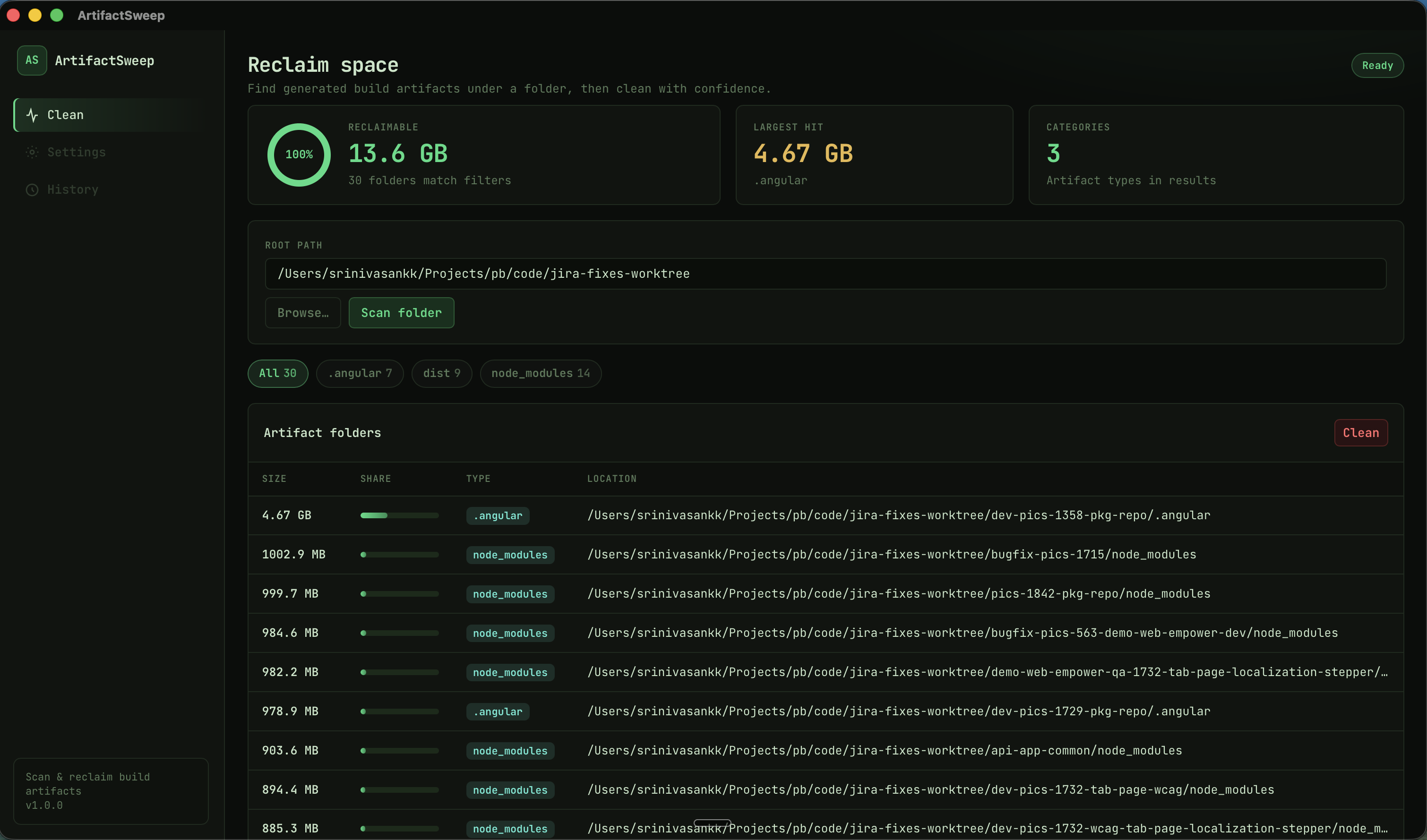
ArtifactSweep finds regeneratable junk — node_modules, target, dist, and more — shows sizes, then lets you delete with confidence. No signup. No cloud.

Windows · Linux · macOS (Apple Silicon) · MIT licensed

ArtifactSweep desktop scanning project artifacts

Your SSD is full of stuff you can rebuild anytime

Build caches pile up across every clone and experiment. Hunting them by hand is slow and easy to get wrong.

Hidden bulk

Nested node_modules and Rust target trees quietly eat tens of GB across side projects.

Guesswork deletes

Deleting the wrong folder hurts. You need sizes and a clear list before you remove anything.

Context switching

Sometimes you want a GUI. Sometimes a one-liner in the terminal. You should not need two different tools.

Three steps. Then get back to work.

One main action on this page: install. The product stays simple after that.

Scan a folder

Point at a projects root. ArtifactSweep walks the tree and lists known junk by name.

Review sizes

See what is safe to regenerate. Filter by type. Dry-run in the CLI if you prefer.

Clean with control

Desktop: confirm, then delete. CLI: sweep clean . when you are sure.

Built for how developers actually work

Desktop when you want clarity. CLI when you want speed.

Open source MIT Local only no account Desktop + CLI same job Free installers Win · Linux · Mac

Free your disk. Keep your source.

Install ArtifactSweep — desktop app and sweep CLI for your OS.

Download free Buy me a coffee

FAQ

Quick answers before you install.

Is it free?

Yes. MIT open source. Optional support via Buy me a coffee if it helps you.

Will it delete my source code?

It matches known junk folder names (build caches). Always review the list (or use CLI dry-run) before cleaning.

Which platforms?

Windows (setup + CLI on PATH), Linux (.deb), macOS Apple Silicon (.dmg. See Releases for files.